Proof of Play Reports
What is a Proof of Play Report?
Proof-of-play is a Pro-level feature that provides valuable insights into the content performance on your screens. It allows you to verify exactly what content has been displayed, when it played, and how often it has been shown over a specific time period. This feature is especially useful for auditing, reporting, and ensuring that scheduled content is being delivered as intended, whether for internal tracking or fulfilling advertising commitments.
What does a Proof of Play Report look like?
A Proof of Play report once generated, downloads as a .csv (Comma-Separated Values) file. Your data will be organised in the following columns:
How to generate a Proof of Play Report
Go to the Deploy section of the Fusion Signage Portal, and select the screens you’d like to include in the report. Then click Proof of Play Report
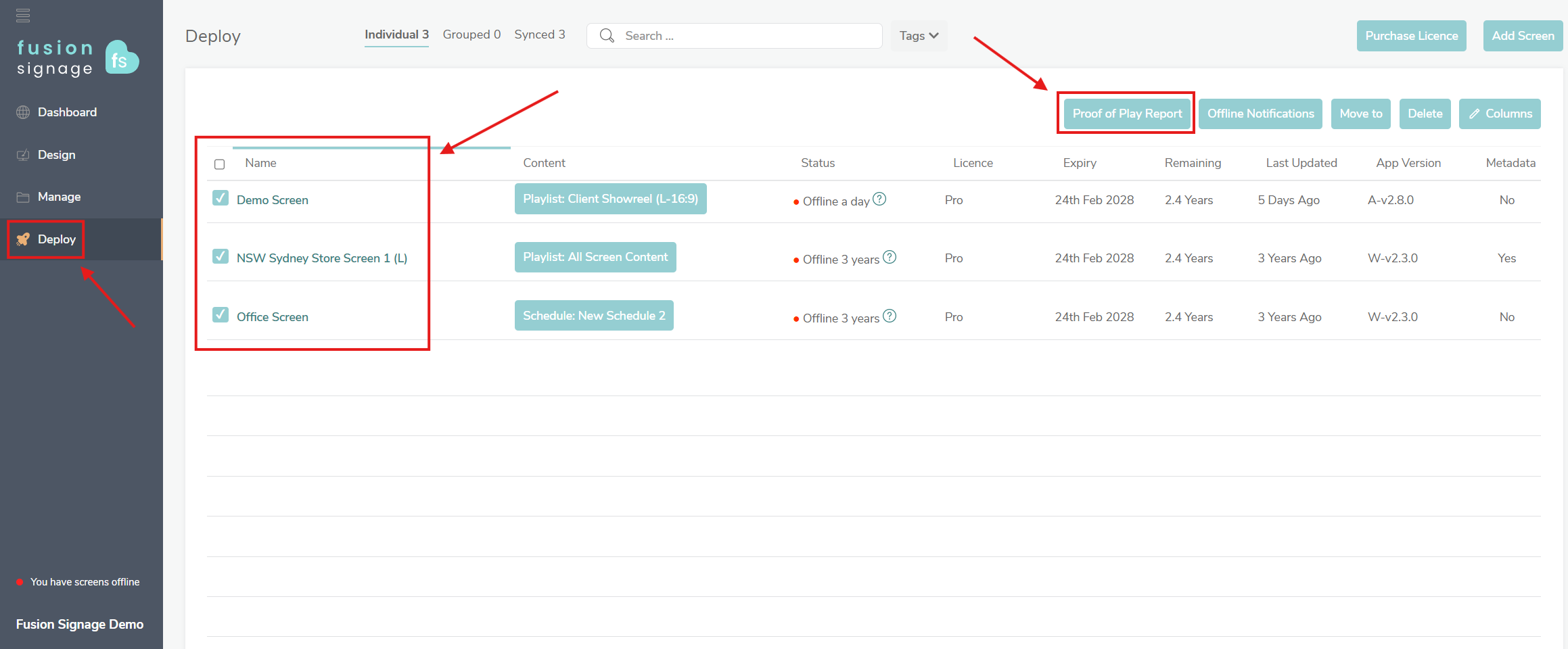
From here, you can also add/remove screens and screen groups from the report as well.
Set the start date and time, and end date and time
Choose whether to include a 'Group Usage by Playlist' column, a 'Group Usage by Screen' column, or both.
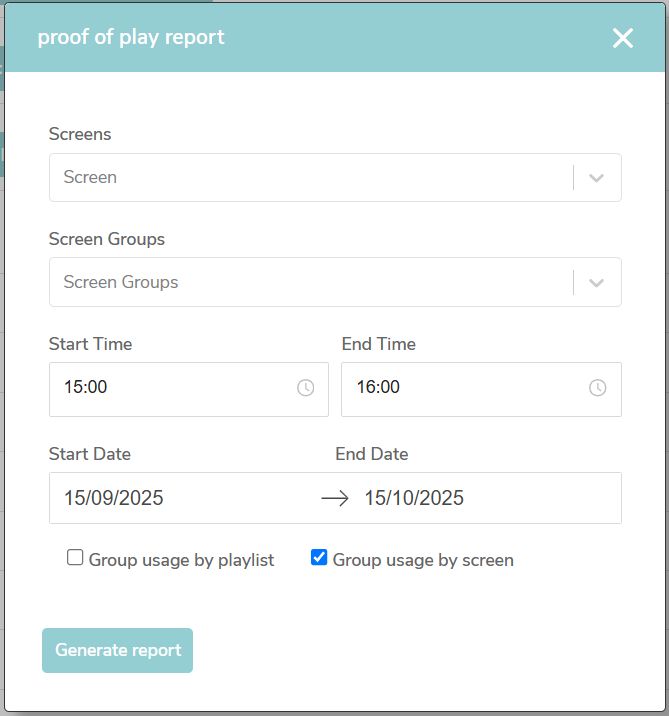
Finally, click Generate report. This will begin the download of a .csv file with all the above information.
If you have any issues, please do not hesitate to reach us at support@fusionsignage.com.au